

If you’ve been Googling lately, you might have spotted a shift in how your results appear. Between the rollout of AI overviews and various algorithm tweaks, it’s becoming easier to get lost in a sea of unexpected sources.
To help with this, Google recently introduced “preferred source.” This feature hands the steering wheel back to you, allowing you to tell the platform exactly which outlets you trust most for your news.
Here is a quick guide on how to set Secret Glasgow as a preferred source on Google so you never miss a beat (and really, why would you want to?)
What is a preferred source on Google?
Essentially, a preferred source is any site or news organisation you want highlighted in your Top Stories feed. By picking your favorites, you’ll see more frequent updates from those specific creators based on what you’re interested in.
Why Secret Glasgow should be your first choice
The team here at Secret Glasgow is deeply passionate about tracking everything worth knowing in the city. We’re across it all: from breaking news and the best local activities to the hottest new bar and restaurant openings.
If you want to stay ahead of the curve in Glasgow—whether it’s local reporting or our curated city guides—we’re here for you. We already keep nearly 5 million followers informed across Instagram and Facebook, so you’re in good company.
How to add Secret Glasgow as a preferred source
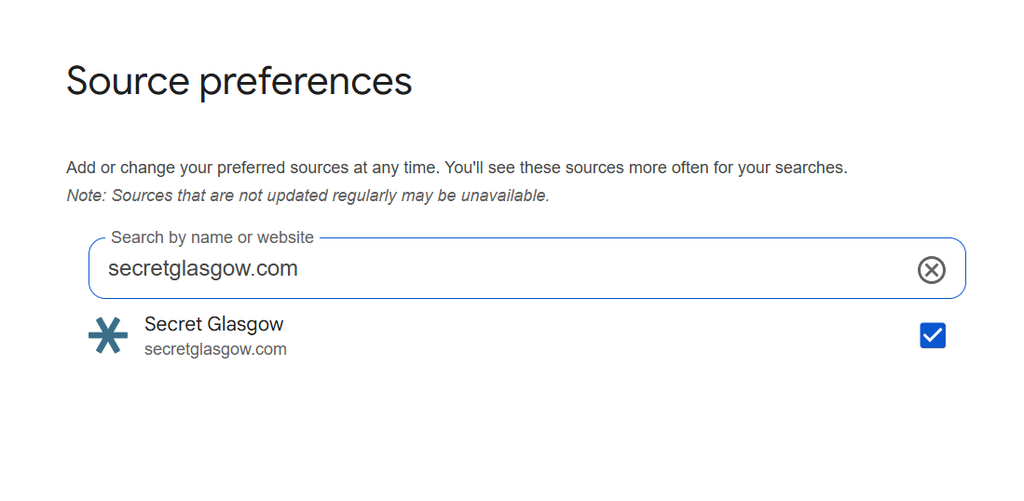
The quickest way to get us on your list is to click this link to add Secret Glasgow directly, then simply check the box for Secret Glasgow.
Alternatively, you can manage your favourites via Top Stories by following these steps:
- Search for any news topic and click the icon to the right of the Top Stories section.
- Search for and select the preferred sources you want (cough, like Secret Glasgow).
- Refresh your page.
You have total control to update or swap your preferences whenever you like, and you’ll still see articles from other publishers across the web, too.